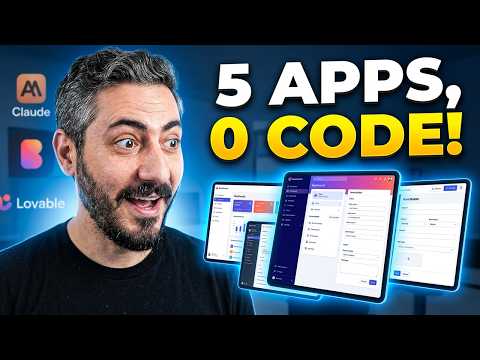
I Built a Project Management Tool With AI for $10
A five-person team pays around $600 a year for basic task management. Building a tailored alternative with an AI app builder took about an hour and $10. The exact prompts, the bugs, and who should copy this.
Prefer video? This guide is also available as a walkthrough. Watch it on YouTube.
In short: A working, team-ready task management tool (projects, statuses, kanban, comments, mentions, file attachments, team invites) can be built with an AI app builder in about an hour for roughly $10 of credits. The build succeeds or fails on the first prompt's structure: goal, self-check instruction, context, and role. Whether you should replace commercial tools with it depends entirely on how much of their functionality you actually use.
Quick math first. A team of five on any mainstream task management tool needs roughly $10 per seat for semi-decent functionality: $50 a month, $600 a year, on the cheapest real plan. Having audited over 200 companies' tool stacks, I can also tell you task management is the single most common money leak in small business software.
So I set a public challenge: build a working task management tool for a team like mine, with a $10 budget, using only an AI app builder. This is the build log, including what broke, and the honest answer on who should copy it.
The prompt that does the heavy lifting
The build starts with one structured prompt, and the structure matters more than the wording. Four parts:
- The goal. "Build a simple task management tool for me and my teammates: tasks with statuses and categories, comments, mentions, so we need users and a database."
- A self-check instruction. "Before moving forward, ask me clarifying questions and suggest improvements." This one line stops the AI from sprinting ahead on wrong assumptions, and it is the cheapest quality control in the whole process.
- The context. "We are a marketing agency of six people, similar projects per client, work moves between marketing, design, admin, and development."
- The role. "You are my project manager and product manager. Your goal is to build our operating system."
Two practical notes: use the builder's planning mode first so you are not burning credits while deciding, and dictate the prompt with speech-to-text; detail per minute is the metric, and speaking wins.
The builder came back with genuinely smart questions, the same ones I ask when setting up a client's workspace: how do you organize tasks, what roles exist, what belongs in version one. That last question is where most people sink themselves. Do not stuff version one. I said no to email notifications and recurring tasks, yes to a kanban board and file attachments, because a marketing agency attaches designs. One layer at a time produces a leaner product, fewer errors, and fewer burned credits.
What actually happened
The initial build: about 15 minutes of generation, roughly 7 or 8 credits. First test pass: some things worked beautifully, some did not. The team settings page was dead, and a proper deadlock had shipped: you could not create a task without a project, and could not create a project at all.
This is normal. This is the job. I listed every bug in one message, added one clever request, "compare your sidebar against the leading task tools and give me your opinion on the structure," and one message later the whole product looked and worked dramatically better. If you are not an operations person, genuinely just ask the AI what structure would be best; it knows the conventions. Another half hour of back-and-forth fixed the rest.
Total: about an hour of my time, roughly 15 credits, call it $5 or $6. The result: a real tool with clients, projects, tasks with statuses and priorities, kanban and list views, comments and mentions, team invites with departments, and a dashboard, published on a subdomain where the whole team can use it.
Should you replace your task tool with this?
The honest decision table:
| Your situation | Verdict |
|---|---|
| Growing company, complex workflows, integrations | No. Use the real tools; pick the right one for your stage |
| Solo or tiny team using 10% of a paid plan | Strong yes candidate |
| Consultant serving clients with specific processes | Yes: a tailored tool per client is now an afternoon |
| Paying for one feature you cannot find elsewhere | Point the builder at that feature and replicate it |
The bigger point than the $10: knowing what to build and what not to build has become a core business skill, because the building part got easy. That skill, and the full workflow around it, is vibe coding as a business capability.
Common questions
Is a self-built tool safe for real work?
For internal task tracking, yes, with ordinary caution: the platform handles hosting and authentication, and your data is no more exposed than in any small SaaS. For anything holding payments or sensitive client data, stay on established products.
What happens when it needs a new feature?
You describe the feature and it appears, which is the genuinely strange part of this era. The discipline is the same as version one: one layer at a time, and no features "just in case."
What does maintenance look like?
Near zero for a stable internal tool. The real cost to plan for is the day your needs outgrow it, at which point you migrate to a commercial tool with clean requirements, knowing exactly which features you proved you need, which is the cheapest requirements document ever written.
Where to go from here
Audit what you actually use in your current task tool; if it is a fraction of the plan you pay for, this build is your afternoon experiment. Run your whole stack through the free Toolstack Analyzer first, because the $600-a-year leaks rarely travel alone.